ROOM KITKAT GALAXY ACE 2
Arogan Loire
Bahan :
• Rom Flashable : download build 04
• Gapps (Google Apps), pilih salah satu
- full : download Size: 250 MB Content
- mini : download Size: 123 MB Content
recommended
- core : download Size : 18 MB Content
Instalasi :
Lakukan full backup sebelum installasi dan wipe
data/cache (factory reset) sebelum & sesudah
installasi (hanya jika dari stockrom)
Jika anda mengupdate dari versi CM10.1/10.2/11
anda tidak perlu melakukan wipe (opsional)
Flash rom ini bisa dilakukan dari stock recovery
atau cwm recovery , install zip seperti biasa.
Untuk Gapps (Google Apps) pilih sesuai kebutuhan
agan, recommended menggunakan versi mini.
Contents screenshot added
Tips and Trik
• Pastikan untuk menambah account google melalui
Setting – Accounts – Google
Kadang aplikasi mengalami force close (fc) saat
belum disetting google account
• Memunculkan opsi tersembunyi Developer options
diSettings
Settings – About phone – Tap 7x pada Build
number
Sampai muncul notifikasi “ You have enable
development settings!”
• Tampilkan menu advanced reboot .
Mempermudah akses ke recovery atau download
mode
Settings - Developer options – Advanced reboot
– cek
• Usb debugging
Settings - Developer options – Android
debugging – cek
Pilih OK pada box konfirmasi yang muncul.
Setting ini akan mengaktifkan Android
debugging dan USB debugging notify
• Tampilkan % pada icon battery status bar
Settings – Interface – Status bar – Show
battery status percent – cek
Dimenu ini anda juga bisa memilih style battery
(circle, icon, hidden)
• Tampilkan quick access ribbon pada notification
drawer
Settings - Interface - Notification drawer -
Show in drawer - cek
• Menambah pilihan Screenshot pada power menu
Settings - Buttons - Power menu - Screenshot
- cek
• Blackscreen pada aplikasi kamera pihak ke 3
Settings - Developer options - Disable HW
overlays - cek
• Menutup paksa aplikasi aktif dengan tekan dan
tahan tombol back
Settings - Developer options - Kill app back
button - cek
Extra :
• Swap memory Fix (cwm flash) Credit :
TheDroidMan
- cara 1 : Dowload swapFIXcm11.zip dan flash
melalui cwm
- cara 2 : menggunakan scriptmanager untuk
load swap agan fahrul fauzi
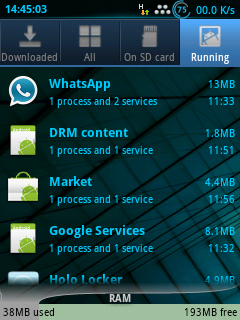
• TaskManager Classic
Dowload rs-Taskmanager.zip dan flash melalui
cwm
• Menonaktifkan BLN (back light notification) /
led notif :
- cara 1 : deactive/disable melalui bln control
- cara 2 : cwm flash patch dari polishvodka
Masih bingung cara install? Cek di ace2.net versi
doc dengan screenshot
Credits:
• Macław
• marcin1147
Thanks to :
• TeamCanjica• Benzonat0r• tom3q
XDA:DevDB Information
CyanogenMod 11.0, a ROM for the Samsung Galaxy
Ace II
Contributors
New Macław, marcin1147
ROM OS Version: 4.4.x KitKat
ROM Kernel: Linux 3.0.x
Based On: CyanogenMod
Version Information
Status: Stable
Current Stable Version: 20140104
Stable Release Date: 2014-01-04
Created 2013-12-13
Last Updated 2014-01-04
_________________________________________
_______
Features
2D/3D HW Acceleration
audio (both speakers/headphones/microphone)
GPS and A-GPS – fast fix getting
Glonass navigation
compass
sensors
Wi-fi
Bluetooth with A2DP
all native tethers (Wifi/BT/USB)
Google Play
CM11 functionallity
CPU sleep mode
MTP
ADB
no tearing
tripple buffering
YouTube HQ
Wifi direct
external storage
camera
video playing
SELinux (temporary disabled)
BLN (backlight notifications) support
offline charging
built using Linaro toolchain
also flashable via Odin
Issues
none
_______________________
Komentar